Nagios es un sistema de código abierto de monitorización de redes, máquinas, servicios, sistemas, filesystems... muy flexible que permite definir distintos tipos de alertas en función de la disponibilidad de los objetos monitorizados.
En mi anterior trabajo lo instalé y configuré para monitorizar distintos entornos que gestionábamos y también para la monitorización remota de filesystems. He rescatado el pequeño documento que hice en su momento y este es el resultado después de completarlo con explicaciones más detalladas, ejemplos y alguna captura.
Lo primero que debo aclarar es que está basado en la versión 2.4 de Nagios, siendo la versión estable actual la 2.10. No debería haber muchas diferencias por lo que supongo que todo lo que voy a contar funcionará sin problemas. La máquina en la que monté el servidor Nagios es una
Sun Fire 280R con Solaris 8 y obviamente no tenía permisos de root, por lo que la instalación está hecha con un usuario normal (vtprov) siendo su home
/internet/vtprov. Además, al ser una máquina con Solaris no hay paquetes de binarios ya compilados, por lo que toca compilar desde el código fuente. El caso de la instalación para Linux debería ser similar.
InstalaciónDespués de descargar y desempaquetar el .tar generamos el fichero Makefile:
$ ./configure --prefix=PREFIX --with-nagios-user=SOMEUSER --with-nagios-group=SOMEGROUP
Donde: PREFIX es la ruta en donde queremos instalar y que llamaremos
$NAGIOS_HOME.
SOMEUSER es el usuario que ejecutará Nagios.
SOMEGROUP es el grupo del usuario que ejecutará Nagios.
Después simplemente compilamos:
$ make all
Y finalmente instalamos en la ruta que hayamos configurado anteriormente:
$ make install
Para comprobar el estado de los servicios, sistemas,... Nagios utiliza diversos plugins programados en C. Es necesario descargar y compilar dichos plugins e instalarlos en Nagios. La utilización de plugins hace que Nagios sea muy potente respecto a los sistemas que puede monitorizar puesto que si no existe ningún plugin que nos interese, siempre es posible crear uno a medida.
La compilación de los plugins es exáctamente igual a la de Nagios y una vez compilados deben almacenarse en el directorio
$NAGIOS_HOME/libexec.
Configuración Nagios se configura mediante archivos de texto que se encuentran en
$NAGIOS_HOME/etc. Los principales archivos son:
nagios.cfg: Es el archivo principal de Nagios. En él, además de diversas opciones de configuración se definen las rutas del resto de archivos de configuración. Podemos elegir si queremos un archivo con toda la configuración o múltiples archivos más pequeños. En mi caso elegí un único archivo.checkcommands.cfg: En este archivo se define el nombre lógico y físico de los comandos de monitorización que se utilizarán así como los parámetros de reciben. misccommands.cfg: Se definen las plantillas que se utilizarán para los emails de notificación.bigger.cfg: Archivo principal en el que se configuran los servicios que se desean monitorizar, notificaciones, comandos para la monitorización, agrupación de servicios,... A continuación muestro con un poco más de detalle los archivos de configuración y añado ejemplos de configuración. Sólo he seleccionado algunas partes concretas puesto que algunos son muy grandes y tienen muchas opciones. Cada una de ellas viene con una pequeña explicación sobre su utilización.
nagios.cfg Hay que prestar especial atención a la opción
check_external_commands puesto que sin habilitarla no podremos comprobar el estado de un servicio que deseemos en un momento determinado, sino que sólo se ejecutará la comprobación según se haya planificado.
# OBJECT CONFIGURATION FILE(S)

# Plugin commands (service and host check commands)
cfg_file=/internet/vtprov/nagios/etc/checkcommands.cfg

# Misc commands (notification and event handler commands, etc)
cfg_file=/internet/vtprov/nagios/etc/misccommands.cfg

# You can split other types of object definitions across several
# config files if you wish (as done here), or keep them all in a
# single config file.
cfg_file=/internet/vtprov/nagios/etc/bigger.cfg

# NAGIOS USER
nagios_user=vtprov

# NAGIOS GROUP
nagios_group=users

# EXTERNAL COMMAND OPTION
# This option allows you to specify whether or not Nagios should check
# for external commands (in the command file defined below).  By default
# Nagios will *not* check for external commands, just to be on the
# cautious side.  If you want to be able to use the CGI command interface
# you will have to enable this.  Setting this value to 0 disables command
# checking (the default), other values enable it.

check_external_commands=1
[...]
checkcommands.cfg Estos son algunos de los comandos (plugins) que podemos usar para comprobar el estado de los servicios. Por ejemplo, el comando
check_http realiza una simple llamada GET a la máquina definida en el parámetro $ARG1$, al puerto $ARG2$ y a la URL $ARG3$. Esta llamada la usábamos para comprobar el estado de diversos servlets que estaban corriendo en distintas instancias de servidores tomcat.
El comando
check_http_wm es una personalización del anterior (fijaos que el command_line es el mismo) pero se conecta con un usuario y password que pasamos como parámetro.
También muestro el ejemplo del ping y también el comando
check_nrpe que veremos posteriormente para ejecutar scripts en máquinas remotas y en función del resultado lanzar o no una alarma.
define command{
    command_name    check_ping
    command_line    $USER1$/check_ping -H $HOSTADDRESS$ -w $ARG1$ -c $ARG2$ -p 5
}

define command{
    command_name    check_http
    command_line    $USER1$/check_http -H $ARG1$ -p $ARG2$ --url=$ARG3$
}

define command{
    command_name    check_http_wm
    command_line    $USER1$/check_http -H $ARG1$ -p $ARG2$ -a USER:PASSWD
}

define command{
    command_name    check_nrpe
    command_line    $USER1$/check_nrpe -H $HOSTADDRESS$ -p $ARG1$ -c $ARG2$ -a $ARG3$ $ARG4$ $ARG5$
}
misccommands.cfg En mi caso cambié el
command_line que venía por defecto por el que muestro a continuación puesto que así se envía más información en la alerta que nos llega por email.
# 'notify-by-email' command definition
define command{
 command_name notify-by-email
 command_line /usr/bin/printf "Subject: ** $NOTIFICATIONTYPE$ alert - $HOSTALIAS$/$SERVICEDESC$ is $SERVICESTATE$ ** %b\n\n ***** Nagios  *****\n\nNotification Type: $NOTIFICATIONTYPE$\n\nService: $SERVICEDESC$\nHost: $HOSTALIAS$\nAddress: $HOSTADDRESS$\nState: $SERVICESTATE$\n\nDate/Time: $LONGDATETIME$\n\nAdditional Info:\n\n$SERVICEOUTPUT$" | /usr/bin/mail $CONTACTEMAIL$
}
bigger.cfg Como ya he comentado este es el archivo de configuración en el que damos de alta todos los servicios que queremos monitorizar. Además, también definimos los periodos de monitorización, usuarios, agrupamos los servicios,...
Definición de periodos en los cuales se notifican los cambios de estado de los servicios. En este caso definimos dos: 24x7 y Workhours. Luego, al dar de alta un servicio para monitorizar le asociamos uno de estos periodos, de tal forma que sólo se envían notificaciones si estamos en el periodo definido.
# '24x7' timeperiod definition
define timeperiod{
    timeperiod_name   24x7
    alias             24 Hours A Day, 7 Days A Week
    sunday            00:00-24:00
    monday            00:00-24:00
    tuesday           00:00-24:00
    wednesday         00:00-24:00
    thursday          00:00-24:00
    friday            00:00-24:00
    saturday          00:00-24:00
}

# 'workhours' timeperiod definition
define timeperiod {
    timeperiod_name   Workhours
    alias             "Normal" Working Hours
    monday            08:00-19:00
    tuesday           08:00-19:00
    wednesday         08:00-19:00
    thursday          08:00-19:00
    friday            08:00-15:00
}
Definición de grupos de notificación. Los emails a los que notificar separdados por comas y el periodo de notificación definido anteriormente.
# 'vt-prov' contact definition
define contact {
    contact_name                    vt-prov
    alias                           Nagios Admin
    service_notification_period     24x7
    host_notification_period        24x7
    service_notification_options    w,u,c,r
    host_notification_options       d,u,r
    service_notification_commands   notify-by-email
    host_notification_commands      host-notify-by-email
    email                           user1@empresa.com,user2@empresa.com
}
Definición de máquinas y agrupación de las mismas.
# 'host1' host definition
define host{
    use                     generic-host
    host_name               host1
    alias                   Servidor host1
    address                 172.24.88.169
    check_command           check-host-alive
    max_check_attempts      10
    check_period            24x7
    notification_interval   120
    notification_period     24x7
    notification_options    d,u,r
    contact_groups          vt-prov
}

# 'solaris-servers' host group definition
define hostgroup{
    hostgroup_name   solaris-servers
    alias            Solaris Servers
    members          host1,host2,host4,host6
}
Definición de servicios a monitorizar: Esta es la parte más importante y es donde realmente damos de alta todos los servicios que deseamos monitorizar. Como ejemplo muestro el ping para saber si la máquina está activa, la comprobación de un servicio corriendo en un tomcat y la ocupación de un filesystem:
Ping
define service{
    use                    generic-service
    host_name              host1
    service_description    PING
    is_volatile            0
    check_period           24x7
    max_check_attempts     4
    normal_check_interval  1
    retry_check_interval   1
    contact_groups         vt-prov
    notification_interval  120
    notification_period    24x7
    notification_options   w,u,c,r
    check_command          check_ping!100.0,20%!500.0,60%
}
Servlet en Tomcat
define service{
    use                    generic-service
    host_name              host2
    service_description    ENTORNO1 - Servicio2
    is_volatile            0
    check_period           24x7
    max_check_attempts     1
    normal_check_interval  5
    retry_check_interval   1
    contact_groups         vt-prov
    notification_interval  10
    notification_period    24x7
    notification_options   w,u,c,r
    check_command          check_http!host2!10102!/servicio/jsp/autent/login.jsp
}
Ocupación Filesystem
define service{
    use                    generic-service
    host_name              host2
    service_description    host2 - /var
    is_volatile            0
    check_period           24x7
    max_check_attempts     1
    normal_check_interval  5
    retry_check_interval   1
    contact_groups         vt-prov
    notification_interval  120
    notification_period    24x7
    notification_options   w,u,c,r
    check_command          check_nrpe!7997!check_disk!7!5!/var
}
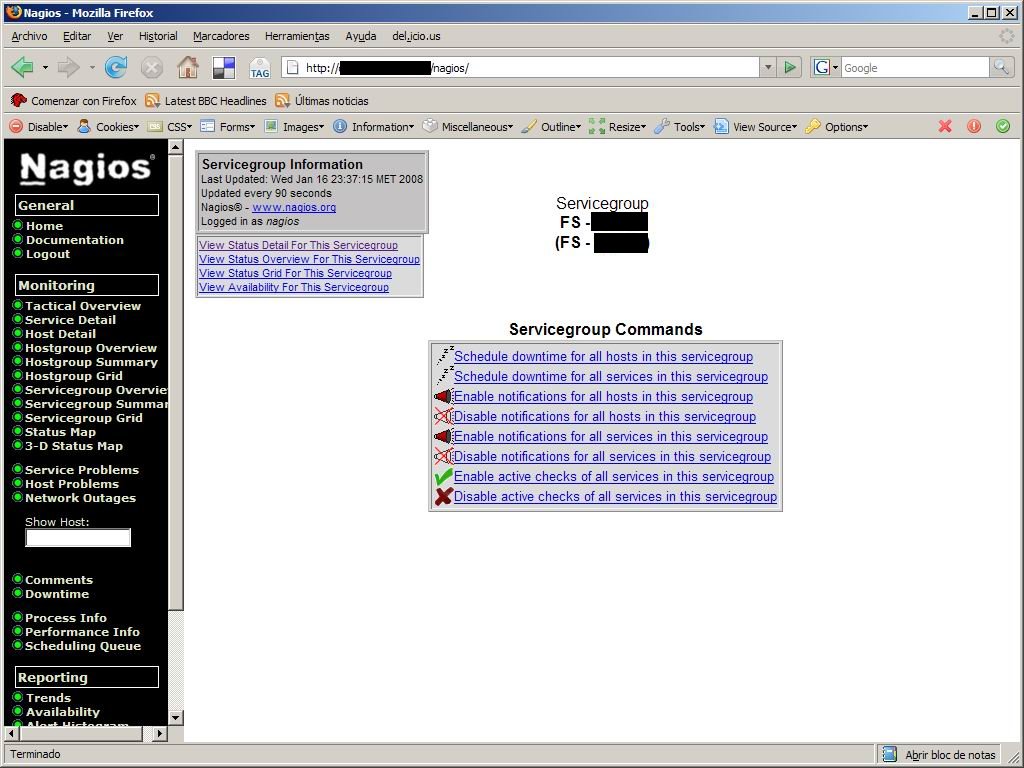
Agrupación de servicios en un grupo: De esta forma se actua sobre todo el grupo a la vez. Esto es útil cuando por ejemplo hay una intervención en una máquina o se está actualizando un entorno completo y se quieren deshabilitar todas las alarmas de ese entorno a la vez.
define servicegroup{
    servicegroup_name      ENTORNO1 - TOMCATs
    alias                  ENTORNO1 - TOMCATs
    members                host2,ENTORNO1 - Servicio2,host2,ENTORNO1 - Servicio3,host2,ENTORNO1 - Servicio8
}
Una vez definidos los servicios que deseamos monitorizar, podemos verificar si el archivo de configuración es correcto o contiene algún error. Desde el directorio
$NAGIOS_HOME/bin:
$ nagios -v ../etc/nagios.cfg
Nagios 2.4
Copyright (c) 1999-2006 Ethan Galstad (http://www.nagios.org)
Last Modified: 05-31-2006
License: GPL

Reading configuration data...

Running pre-flight check on configuration data...

Checking services...
        Checked 82 services.
Checking hosts...
        Checked 5 hosts.
Checking host groups...
        Checked 1 host groups.
Checking service groups...
        Checked 16 service groups.
Checking contacts...
        Checked 1 contacts.
Checking contact groups...
        Checked 1 contact groups.
Checking service escalations...
        Checked 0 service escalations.
Checking service dependencies...
        Checked 0 service dependencies.
Checking host escalations...
        Checked 0 host escalations.
Checking host dependencies...
        Checked 0 host dependencies.
Checking commands...
        Checked 26 commands.
Checking time periods...
        Checked 4 time periods.
Checking extended host info definitions...
        Checked 0 extended host info definitions.
Checking extended service info definitions...
        Checked 0 extended service info definitions.
Checking for circular paths between hosts...
Checking for circular host and service dependencies...
Checking global event handlers...
Checking obsessive compulsive processor commands...
Checking misc settings...

Total Warnings: 0
Total Errors:   0

Things look okay - No serious problems were detected during the pre-flight check
Como no hay ningún error podemos arrancar Nagios:
$ nagios -d ../etc/nagios.cfg
En este momento se empezarían a monitorizar los sistemas que tengamos definidos y se enviarían notificaciones por email si se han configurado.
Interfaz Web Para poder interactuar con el sistema y ver todo de un modo gráfico es necesario configurar la consola web de Nagios. Para ello es necesario un servidor
Apache. Instalamos el servidor y en el archivo
httpd.conf añadimos lo siguiente:
ScriptAlias /nagios/cgi-bin "/internet/vtprov/nagios/sbin/"
    <Directory "/internet/vtprov/nagios/sbin">
        AllowOverride AuthConfig
        Options +ExecCGI
        Order allow,deny
        Allow from all
    </Directory>

    Alias /nagios "/internet/vtprov/nagios/share"
    <Directory "/internet/vtprov/nagios/share">
        Options None
        AllowOverride AuthConfig
        Order allow,deny
        Allow from all
    </Directory>
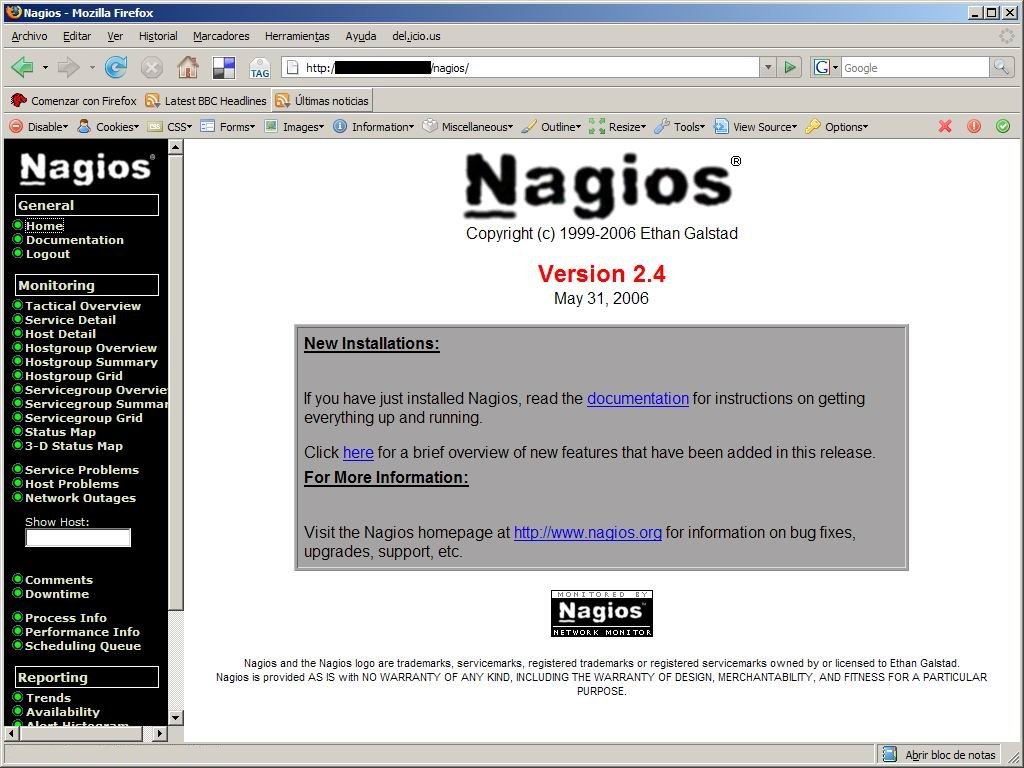
Reiniciamos apache y ya nos deberíamos poder conectar a la consola de administración:
Control de Acceso Se pueden definir distintos usuarios para conectarse a Nagios con diferentes permisos y que verán únicamente los servicios en los que se hayan añadido como contacto. Para ello utilizamos las opciones de autenticación que ofrece Apache.
Creamos el archivo
.htaccess en los directorios
share y
sbin con el siguiente contenido:
AuthName "Acceso a Nagios"
AuthType Basic
AuthUserFile /internet/vtprov/nagios/etc/htpasswd.users
require valid-user
Y creamos el archivo de passwords desde el directorio bin de la instalación de Apache añadiendo el usuario nagios.
$ htpasswd -c /internet/vtprov/nagios/etc/htpasswd.users nagios
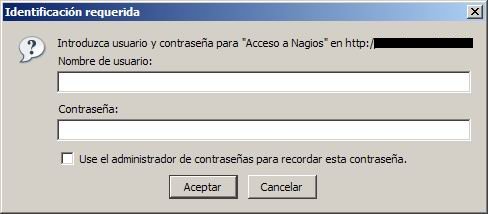
Ahora al conectarnos a Nagios nos aparecerá la típica ventana solicitando nuestro usuario y password.
Comandos remotos Para poder ejecutar scritps en máquinas remotas, como por ejemplo, para comprobar el tamaño de los filesystems de otras máquinas, necesitamos instalar un pequeño servidor en dichas máquinas. Este servidor se llama NRPE (Nagios Remote Plugin Executor). Es necesario descargarlo y compilarlo tal y como hemos hecho con Nagios.
La configuración es muy sencilla: En cada máquina que queramos monitorizar la ocupación de sus filesystems debemos configurar el archivo
nrpe.cfg en el que básicamente hay que indicar el puerto en el que queremos levantar el servidor, el usuario y el grupo que lo ejecutan y activar la opción para permitir recibir comandos remotos con parámetros. El fichero de configuración tiene el siguiente aspecto (como antes, incluyo sólo lo más importante).
# PORT NUMBER
server_port=7997

# SERVER ADDRESS
server_address=172.24.88.169

# ALLOWED HOST ADDRESSES
# This is a comma-delimited list of IP address of hosts that are allowed
# to talk to the NRPE daemon.
allowed_hosts=127.0.0.1,172.24.86.11

# NRPE USER
nrpe_user=nrpe

# NRPE GROUP
nrpe_group=users

# COMMAND ARGUMENT PROCESSING
# This option determines whether or not the NRPE daemon will allow clients
# to specify arguments to commands that are executed.  This option only works
# if the daemon was configured with the --enable-command-args configure script
# option.
#
# *** ENABLING THIS OPTION IS A SECURITY RISK! ***
# Read the SECURITY file for information on some of the security implications
# of enabling this variable.
#
# Values: 0=do not allow arguments, 1=allow command arguments
dont_blame_nrpe=1

# COMMAND DEFINITIONS
command[check_disk]=/home/user/nrpe/check_disk.sh $ARG1$ $ARG2$ $ARG3$
Hay que destacar la opción
dont_blame_nrpe ya que tal y como se indica activarla puede representar un problema de seguridad porque estamos aceptando parámetros y podría realizarse algún tipo de ataque a la máquina por este medio. En mi caso lo habilité porque el script que comprueba el tamaño del filesystem necesita dichos parámetros y no representaba ningún problema de seguridad.
Al final también hemos añadido el comando remoto que se ejecutará (
check_disk) y la llamada al script con los parámetros necesarios. Este script debe existir en la máquina de la que deseamos monitorizar los filesystems.
Recordemos que antes definimos la ejecución del script check_disk (para un filesystem y máquina concretos) como:
check_nrpe!7997!check_disk!7!5!/var
En esta llamada
7997 es el puerto del nrpe en la máquina remota,
check_disk es el nombre lógico del script y
7,
5 y
/var son los parámetros del script. Éste comprueba el porcentaje de espacio libre del filesystem que recibe como parámetro y lo compara con los dos umbrales que le pasamos. Si es menor de un 7% genera un warning y si es menor de un 5% genera un error crítico.
El script
check_disk.sh que acabamos de ver y que definíamos anteriormente en el archivo
bigger.cfg es el siguiente:
#!/bin/ksh
# check_disk.sh: Comprueba el tamaño de un filesystem y
# devuelve el estado en función de dos umbrales definidos.
#
# Iván López Martín

warning=$1
critical=$2
filesystem=$3

STATE_OK=0
STATE_WARNING=1
STATE_CRITICAL=2

size=`df -k $filesystem | grep $filesystem | awk '{print $4}'`
sizeMB=`echo "$size/1024" | bc`
percentage=`df -k $filesystem | grep $filesystem | awk '{print $5}' | sed -e s/%//g`
freePercentage=`echo "100-$percentage" | bc`

if [ "$freePercentage" -le "$critical" ]; then
   echo "DISK CRITICAL - free space: "$filesystem" $sizeMB MB"
   return $STATE_CRITICAL
fi
if [ "$freePercentage" -le "$warning" ]; then
   echo "DISK WARNING - free space: "$filesystem" $sizeMB MB"
   return $STATE_WARNING
fi

echo "DISK OK - free space: "$filesystem" $sizeMB MB"
return $STATE_OK
Con los scripts remotos configurados arrancamos el demonio nrpe:
$ nrpe -c nrpe.cfg -d
Como veis, me he hecho mi propio script para comprobar remotamente los filesystems de las distintas máquinas. Aunque dije inicialmente que los plugins que vienen con Nagios están escritos en C, se puede utilizar cualquier lenguaje que soporte la máquina para comprobar el estado del servicio que deseemos.
Este script nos era especialmente útil sobre todo para comprobar la ocupación del filesystem
/var. Cuando veíamos que estaba bastante lleno sólo teníamos que enviar un email a administración Unix para que borrasen logs antiguos y nos liberaran algo de espacio.
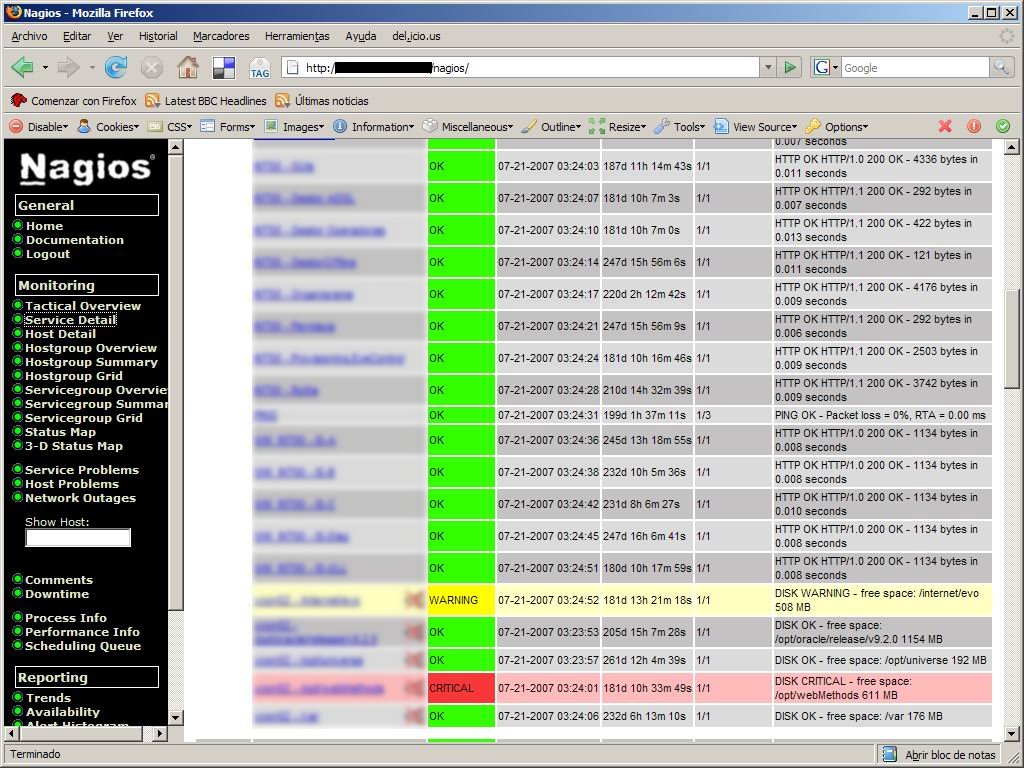
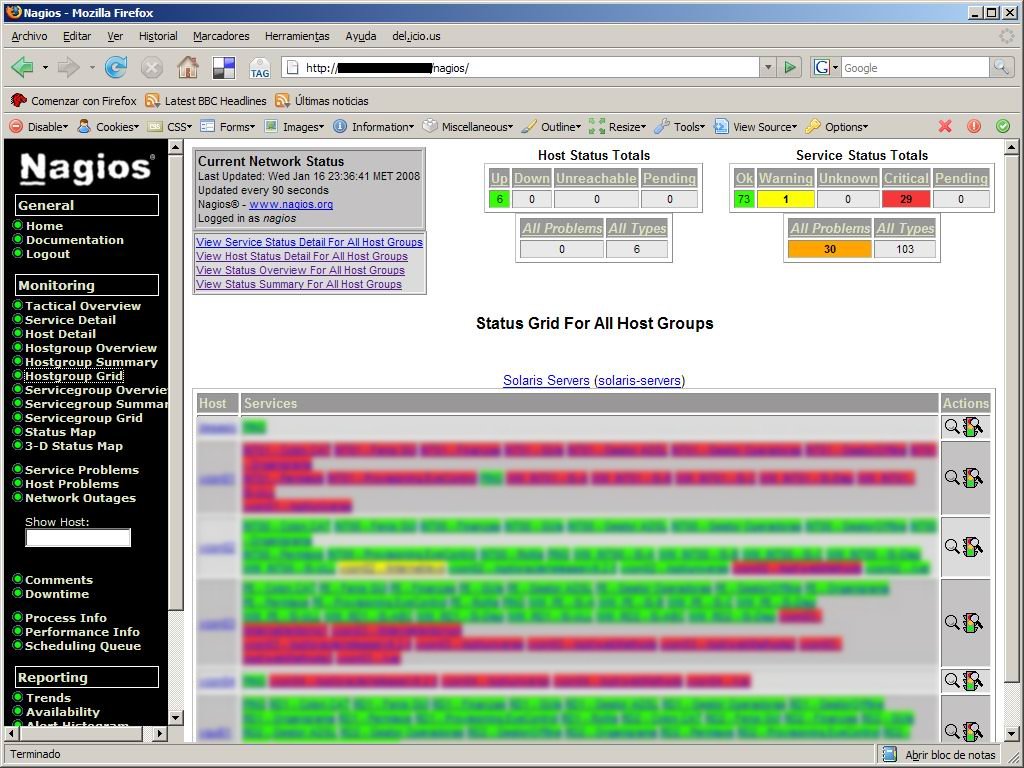
Interfaz gráfica A continuación muestro una serie de capturas de pantalla de la interfaz gráfica con todos los servicios que teníamos configurados en su momento.
 |  |
| Servicios | Máquinas |
 |  |
| Agrupación de servicios | Opciones de servicios |
Conclusiones Lo que más me gusta de Nagios es que es muy sencillo de configurar y que con el simple hecho de dar de alta un servicio, automáticamente ya lo estamos monitorizando.
En su momento también probé herramientas como
Hyperic HQ y aunque visualmente son más bonitas, descubren automáticamente los servicios que hay corriendo en las máquinas,... al final son más engorrosas. En mi caso, en algunas máquinas descubría "demasiados" servicios y había que estar eliminando todos los que no queríamos monitorizar. Además, había que definir una a una las alarmas para cada uno de esos servicios. Al final, después de probarla durante un tiempo la descarté y me quedé con Nagios.